Skip to content
Listen to the S.T.A.R. Podcast- Safety, Transportation and Recruitment! Listen now.
Natt Group
  • Home
  • About Us
    • NATT Safety Services
    • Northern Academy of Transportation Training
    • Natt Personnel Solutions
    • Testimonials
  • Jobs
    • Sudbury and Area
Natt Group
  • Calendar
    • Barrie
    • Brockville
    • Lively
    • Sault Ste. Marie
    • Timmins
    • Vaughan
    • Truck Training Calendar
  • Contact
  • News
  • Podcast
Menu Close
  • Home
  • About Us
    • NATT Safety Services
    • Northern Academy of Transportation Training
    • Natt Personnel Solutions
    • Testimonials
  • Jobs
    • Sudbury and Area
  • Calendar
    • Barrie
    • Brockville
    • Lively
    • Sault Ste. Marie
    • Timmins
    • Vaughan
    • Truck Training Calendar
  • Contact
  • News
  • Podcast
Read more about the article S.T.A.R. Podcast: D Licensing: Explanation on the Different Options Available to You 

S.T.A.R. Podcast: D Licensing: Explanation on the Different Options Available to You 

S.T.A.R PODCAST - EPISODE 59 - MAY 23, 2024 This week, Shannon from Northern Academy of Transportation Training joins us to break down the different options when it comes to…

Continue ReadingS.T.A.R. Podcast: D Licensing: Explanation on the Different Options Available to You 
Read more about the article S.T.A.R Podcast: Protecting Yourself from Online Scams, with the Canadian Anti Fraud Centre

S.T.A.R Podcast: Protecting Yourself from Online Scams, with the Canadian Anti Fraud Centre

Have you ever been a victim to an online scam? Maybe you know of someone who was? The Canadian Anti-Fraud Centre reports that as of March 31, 2024, there have…

Continue ReadingS.T.A.R Podcast: Protecting Yourself from Online Scams, with the Canadian Anti Fraud Centre
Read more about the article Visit us at PDAC 2024!

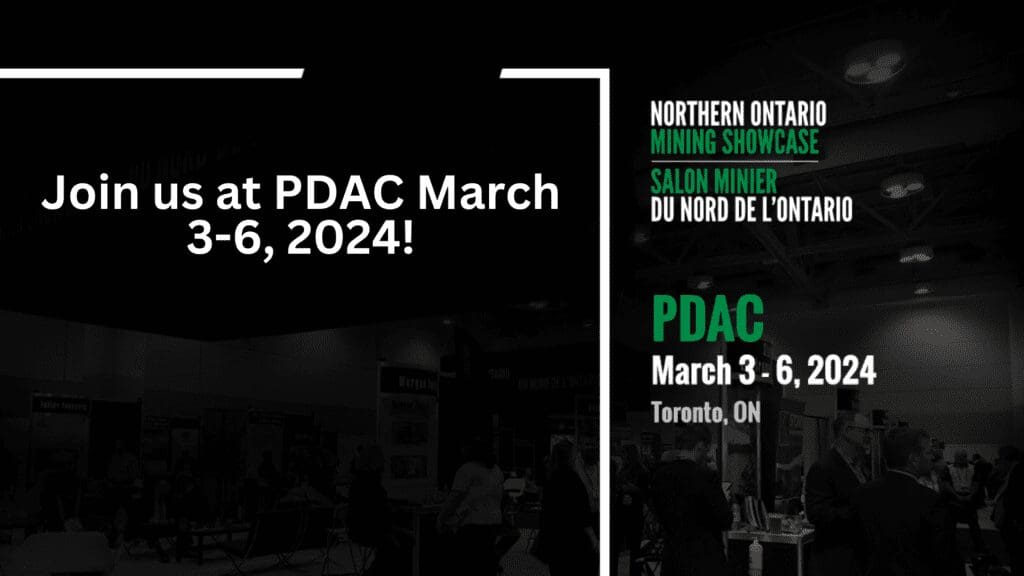
Visit us at PDAC 2024!

Along with NATT Safety Services, we will be exhibiting in the 2024 Northern Ontario Mining Showcase at PDAC. Join us in Toronto, Ontario from March 3 to 6, 2024 North…

Continue ReadingVisit us at PDAC 2024!
Read more about the article TPS Group of Companies Strengthens their NATT Safety Services Division with Acquisition of Safetyscope

TPS Group of Companies Strengthens their NATT Safety Services Division with Acquisition of Safetyscope

NATT Safety Services, a leading provider of safety training and confined space rescue services, is pleased to announce the successful acquisition of Safetyscope, a prominent player in the confined space…

Continue ReadingTPS Group of Companies Strengthens their NATT Safety Services Division with Acquisition of Safetyscope
Read more about the article Pet First Aid FAQ’s with Jim Richards of First Aid Plus

Pet First Aid FAQ’s with Jim Richards of First Aid Plus

This week, Jim Richards from First Aid Plus joins us on the Priority: Safety podcast to discuss Pet First aid. Topics discussed: What is Pet First Aid Tools used in…

Continue ReadingPet First Aid FAQ’s with Jim Richards of First Aid Plus
Read more about the article Strategic Alliance Soars to New Heights: NATT Safety Services and Highwork Ltd. Forge Powerful Business Partnership

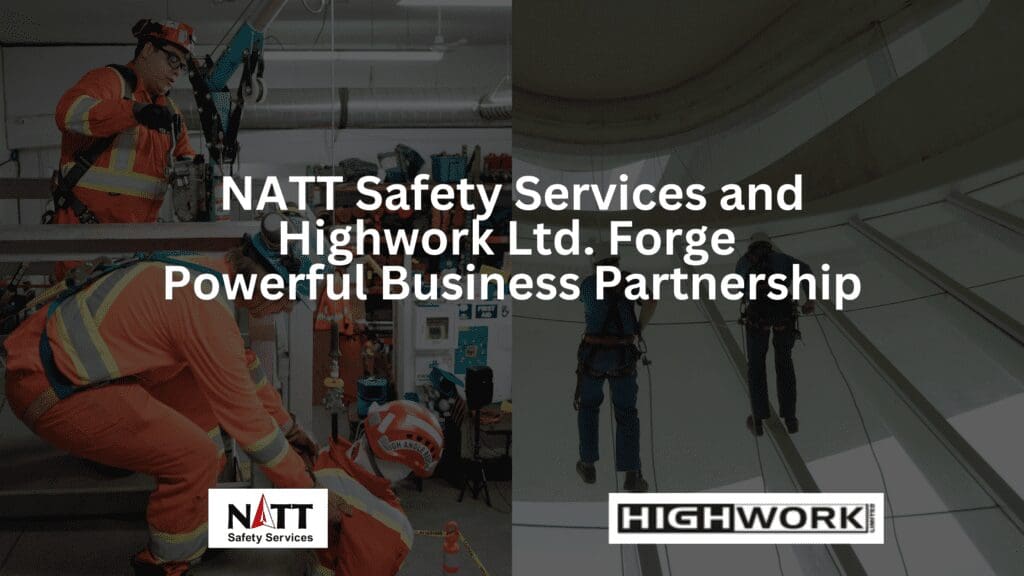
Strategic Alliance Soars to New Heights: NATT Safety Services and Highwork Ltd. Forge Powerful Business Partnership

NATT Safety Services and Highwork Limited are excited to announce a new business partnership, bringing together their knowledge of safety and fall protection from their respective businesses. “NATT Safety Services…

Continue ReadingStrategic Alliance Soars to New Heights: NATT Safety Services and Highwork Ltd. Forge Powerful Business Partnership
Read more about the article Job Fair for Domtar Employees

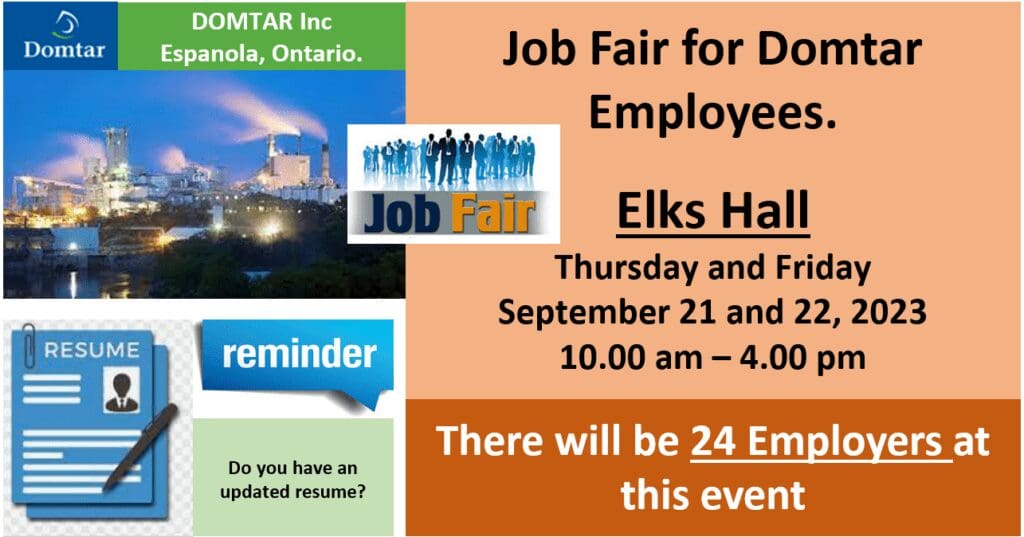
Job Fair for Domtar Employees

TPS Group of Companies will be attending the Job Fair for Domtar employees, happening September 21 and 22. Please drop by and speak to us about job opportunities available.

Continue ReadingJob Fair for Domtar Employees
Read more about the article Rental Trailers Available

Rental Trailers Available

We Have Rental Trailers Available! 53’ storage trailers for rent! Construction, Industrial, Retail, Personal! Daily, weekly, monthly, yearly. Mobile storage within Ontario. Contact: bpattison@tpsgroup.ca

Continue ReadingRental Trailers Available
Read more about the article NATT Safety Services Expands Confined Space Rescue Services and Training with New Mobile Unit

NATT Safety Services Expands Confined Space Rescue Services and Training with New Mobile Unit

NATT Safety Services started in the confined space business in 2008, with the first mock rescue performed for Vale 2009. In 2013, the brand NATT Safety Services was officially established…

Continue ReadingNATT Safety Services Expands Confined Space Rescue Services and Training with New Mobile Unit
Read more about the article TPS Group of Companies Opens New Firm, Platinum Executive Search, in Toronto

TPS Group of Companies Opens New Firm, Platinum Executive Search, in Toronto

Toronto, ON – March 13, 2023– A new firm, Platinum Executive Search, has officially opened in Toronto, but with over 20 years combined experience in the staffing and recruiting world,…

Continue ReadingTPS Group of Companies Opens New Firm, Platinum Executive Search, in Toronto
  • Go to the previous page
  • 1
  • 2
  • 3
  • 4
  • 5
  • 6
  • Go to the next page

Contact Natt

  • For 25 years, Natt Group has been dedicated to keeping people safe. What started as a Northern-based company has grown into a province-wide organization supporting clients across Ontario. Today, we operate through three core pillars – Natt Safety Services, Northern Academy (Private Career College), and Natt Personnel.
  • Corporate Head Office: 98 Fielding Rd LivelyOffices in Barrie, Brockville, Lively, Sault Ste. Marie, Timmins, Thunder Bay, Vaughan
  • Phone:866-244-3334
  • Email:info@nattgroup.caOpens in your application
  • Website:www.nattgroup.ca

View Jobs

  • Ontario JobsOpens in a new tab
  • Executive CareersOpens in a new tab
Multi-year Accessibility Plan
Safety Training Self Service Portal

News

  • Natt Group Certified Supplier with The Canadian Aboriginal and Minority Supplier Council (CAMSC)
    Natt Group Certified Supplier with The Canadian Aboriginal and Minority Supplier Council (CAMSC)
    June 12, 2026/
    0 Comments
  • S.T.A.R. Podcast- A Father’s Journey: Scott Thomas on Remembering his Son Evan 
    S.T.A.R. Podcast- A Father’s Journey: Scott Thomas on Remembering his Son Evan 
    June 11, 2026/
    0 Comments
  • S.T.A.R. Podcast- Taking Charge of Your Future: Live a Life on Your Own Terms, with Angela Tipton 
    S.T.A.R. Podcast- Taking Charge of Your Future: Live a Life on Your Own Terms, with Angela Tipton 
    June 2, 2026/
    0 Comments

Divisions of Natt

  • NATT Safety Services
  • Northern Academy of Transportation Training
  • Natt Personnel Solutions

Employees

  • Downloads
© Copyright 2026- Natt
Natt Group
We value your privacy
To provide the best experiences, we use technologies like cookies to store and/or access device information. Consenting to these technologies will allow us to process data such as browsing behaviour or unique IDs on this site. Not consenting or withdrawing consent, may adversely affect certain features and functions.
Functional Always active
The technical storage or access is strictly necessary for the legitimate purpose of enabling the use of a specific service explicitly requested by the subscriber or user, or for the sole purpose of carrying out the transmission of a communication over an electronic communications network.
Preferences
The technical storage or access is necessary for the legitimate purpose of storing preferences that are not requested by the subscriber or user.
Statistics
The technical storage or access that is used exclusively for statistical purposes. The technical storage or access that is used exclusively for anonymous statistical purposes. Without a subpoena, voluntary compliance on the part of your Internet Service Provider, or additional records from a third party, information stored or retrieved for this purpose alone cannot usually be used to identify you.
Marketing
The technical storage or access is required to create user profiles to send advertising, or to track the user on a website or across several websites for similar marketing purposes.
  • Manage options
  • Manage services
  • Manage {vendor_count} vendors
  • Read more about these purposes
View preferences
  • {title}
  • {title}
  • {title}
Accessibility
Accessibility modes
Epilepsy Safe Mode
Dampens color and removes blinks
This mode enables people with epilepsy to use the website safely by eliminating the risk of seizures that result from flashing or blinking animations and risky color combinations.
Visually Impaired Mode
Improves website's visuals
This mode adjusts the website for the convenience of users with visual impairments such as Degrading Eyesight, Tunnel Vision, Cataract, Glaucoma, and others.
Cognitive Disability Mode
Helps to focus on specific content
This mode provides different assistive options to help users with cognitive impairments such as Dyslexia, Autism, CVA, and others, to focus on the essential elements of the website more easily.
ADHD Friendly Mode
Reduces distractions and improve focus
This mode helps users with ADHD and Neurodevelopmental disorders to read, browse, and focus on the main website elements more easily while significantly reducing distractions.
Blindness Mode
Allows using the site with your screen-reader
This mode configures the website to be compatible with screen-readers such as JAWS, NVDA, VoiceOver, and TalkBack. A screen-reader is software for blind users that is installed on a computer and smartphone, and websites must be compatible with it.
Online Dictionary
    Readable Experience
    Content Scaling
    Default
    Text Magnifier
    Readable Font
    Dyslexia Friendly
    Highlight Titles
    Highlight Links
    Font Sizing
    Default
    Line Height
    Default
    Letter Spacing
    Default
    Left Aligned
    Center Aligned
    Right Aligned
    Visually Pleasing Experience
    Dark Contrast
    Light Contrast
    Monochrome
    High Contrast
    High Saturation
    Low Saturation
    Adjust Text Colors
    Adjust Title Colors
    Adjust Background Colors
    Easy Orientation
    Mute Sounds
    Hide Images
    Hide Emoji
    Reading Guide
    Stop Animations
    Reading Mask
    Highlight Hover
    Highlight Focus
    Big Dark Cursor
    Big Light Cursor
    Cognitive Reading
    Virtual Keyboard
    Navigation Keys
    Voice Navigation

    Natt Group

    Accessibility Statement

    • nattgroup.ca
    • June 15, 2026

    Compliance status

    We firmly believe that the internet should be available and accessible to anyone, and are committed to providing a website that is accessible to the widest possible audience, regardless of circumstance and ability.

    To fulfill this, we aim to adhere as strictly as possible to the World Wide Web Consortium’s (W3C) Web Content Accessibility Guidelines 2.1 (WCAG 2.1) at the AA level. These guidelines explain how to make web content accessible to people with a wide array of disabilities. Complying with those guidelines helps us ensure that the website is accessible to all people: blind people, people with motor impairments, visual impairment, cognitive disabilities, and more.

    This website utilizes various technologies that are meant to make it as accessible as possible at all times. We utilize an accessibility interface that allows persons with specific disabilities to adjust the website’s UI (user interface) and design it to their personal needs.

    Additionally, the website utilizes an AI-based application that runs in the background and optimizes its accessibility level constantly. This application remediates the website’s HTML, adapts Its functionality and behavior for screen-readers used by the blind users, and for keyboard functions used by individuals with motor impairments.

    If you’ve found a malfunction or have ideas for improvement, we’ll be happy to hear from you. You can reach out to the website’s operators by using the following email

    Screen-reader and keyboard navigation

    Our website implements the ARIA attributes (Accessible Rich Internet Applications) technique, alongside various different behavioral changes, to ensure blind users visiting with screen-readers are able to read, comprehend, and enjoy the website’s functions. As soon as a user with a screen-reader enters your site, they immediately receive a prompt to enter the Screen-Reader Profile so they can browse and operate your site effectively. Here’s how our website covers some of the most important screen-reader requirements, alongside console screenshots of code examples:

    1. Screen-reader optimization: we run a background process that learns the website’s components from top to bottom, to ensure ongoing compliance even when updating the website. In this process, we provide screen-readers with meaningful data using the ARIA set of attributes. For example, we provide accurate form labels; descriptions for actionable icons (social media icons, search icons, cart icons, etc.); validation guidance for form inputs; element roles such as buttons, menus, modal dialogues (popups), and others. Additionally, the background process scans all the website’s images and provides an accurate and meaningful image-object-recognition-based description as an ALT (alternate text) tag for images that are not described. It will also extract texts that are embedded within the image, using an OCR (optical character recognition) technology. To turn on screen-reader adjustments at any time, users need only to press the Alt+1 keyboard combination. Screen-reader users also get automatic announcements to turn the Screen-reader mode on as soon as they enter the website.

      These adjustments are compatible with all popular screen readers, including JAWS and NVDA.

    2. Keyboard navigation optimization: The background process also adjusts the website’s HTML, and adds various behaviors using JavaScript code to make the website operable by the keyboard. This includes the ability to navigate the website using the Tab and Shift+Tab keys, operate dropdowns with the arrow keys, close them with Esc, trigger buttons and links using the Enter key, navigate between radio and checkbox elements using the arrow keys, and fill them in with the Spacebar or Enter key.Additionally, keyboard users will find quick-navigation and content-skip menus, available at any time by clicking Alt+1, or as the first elements of the site while navigating with the keyboard. The background process also handles triggered popups by moving the keyboard focus towards them as soon as they appear, and not allow the focus drift outside it.

      Users can also use shortcuts such as “M” (menus), “H” (headings), “F” (forms), “B” (buttons), and “G” (graphics) to jump to specific elements.

    Disability profiles supported in our website

    • Epilepsy Safe Mode: this profile enables people with epilepsy to use the website safely by eliminating the risk of seizures that result from flashing or blinking animations and risky color combinations.
    • Visually Impaired Mode: this mode adjusts the website for the convenience of users with visual impairments such as Degrading Eyesight, Tunnel Vision, Cataract, Glaucoma, and others.
    • Cognitive Disability Mode: this mode provides different assistive options to help users with cognitive impairments such as Dyslexia, Autism, CVA, and others, to focus on the essential elements of the website more easily.
    • ADHD Friendly Mode: this mode helps users with ADHD and Neurodevelopmental disorders to read, browse, and focus on the main website elements more easily while significantly reducing distractions.
    • Blindness Mode: this mode configures the website to be compatible with screen-readers such as JAWS, NVDA, VoiceOver, and TalkBack. A screen-reader is software for blind users that is installed on a computer and smartphone, and websites must be compatible with it.
    • Keyboard Navigation Profile (Motor-Impaired): this profile enables motor-impaired persons to operate the website using the keyboard Tab, Shift+Tab, and the Enter keys. Users can also use shortcuts such as “M” (menus), “H” (headings), “F” (forms), “B” (buttons), and “G” (graphics) to jump to specific elements.

    Additional UI, design, and readability adjustments

    1. Font adjustments – users, can increase and decrease its size, change its family (type), adjust the spacing, alignment, line height, and more.
    2. Color adjustments – users can select various color contrast profiles such as light, dark, inverted, and monochrome. Additionally, users can swap color schemes of titles, texts, and backgrounds, with over seven different coloring options.
    3. Animations – person with epilepsy can stop all running animations with the click of a button. Animations controlled by the interface include videos, GIFs, and CSS flashing transitions.
    4. Content highlighting – users can choose to emphasize important elements such as links and titles. They can also choose to highlight focused or hovered elements only.
    5. Audio muting – users with hearing devices may experience headaches or other issues due to automatic audio playing. This option lets users mute the entire website instantly.
    6. Cognitive disorders – we utilize a search engine that is linked to Wikipedia and Wiktionary, allowing people with cognitive disorders to decipher meanings of phrases, initials, slang, and others.
    7. Additional functions – we provide users the option to change cursor color and size, use a printing mode, enable a virtual keyboard, and many other functions.

    Browser and assistive technology compatibility

    We aim to support the widest array of browsers and assistive technologies as possible, so our users can choose the best fitting tools for them, with as few limitations as possible. Therefore, we have worked very hard to be able to support all major systems that comprise over 95% of the user market share including Google Chrome, Mozilla Firefox, Apple Safari, Opera and Microsoft Edge, JAWS and NVDA (screen readers).

    Notes, comments, and feedback

    Despite our very best efforts to allow anybody to adjust the website to their needs. There may still be pages or sections that are not fully accessible, are in the process of becoming accessible, or are lacking an adequate technological solution to make them accessible. Still, we are continually improving our accessibility, adding, updating and improving its options and features, and developing and adopting new technologies. All this is meant to reach the optimal level of accessibility, following technological advancements. For any assistance, please reach out to